

es9-mcp
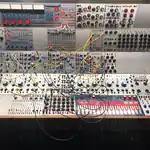
MCP server for controlling an Expert Sleepers ES-9 Eurorack USB audio interface over USB MIDI and audio.
Provides 37 tools for mixer routing, EQ, CV/gate generation, voltage reading, and configuration management.
Part of the Expert Sleepers MCP suite:
fh2-mcp |
es9-mcp |
disting-nt-mcp |
es-orchestrator-mcp
Requirements
- Python 3.11+
- uv package manager
- Expert Sleepers ES-9 connected via USB
- Audio driver access (for CV generation and voltage reading)
Setup```bash
git clone https://github.com/Ziforge/es9-mcp.git
cd es9-mcp
uv sync
cp .env.example .env # edit with your port/device names
### Configuration

| Variable | Default | Description |
|----------|---------|-------------|
| `ES9_MIDI_OUTPUT_PORT` | `ES-9` | MIDI output port (substring match) |
| `ES9_MIDI_INPUT_PORT` | `ES-9` | MIDI input port (substring match) |
| `ES9_AUDIO_DEVICE` | `ES-9` | Audio device name (substring match) |
| `ES9_SAMPLE_RATE` | `48000` | Sample rate for CV engine (48000 or 96000) |
| `ES9_AUTO_CONNECT` | `false` | Connect on server start |

### Claude Desktop

Add to `claude_desktop_config.json`:```json
{
  "mcpServers": {
    "es9": {
      "command": "uv",
      "args": ["run", "--directory", "/path/to/es9-mcp", "python", "server.py"]
    }
  }
}
Tools (37)
Connection (4)
| Tool | Description |
|---|---|
connect_es9 |
Connect MIDI and audio (auto-detects if empty) |
disconnect_es9 |
Disconnect MIDI and audio |
list_midi_ports |
List all available MIDI I/O ports |
list_audio_devices |
List all audio devices with channel counts |
Virtual Mixer (5)
| Tool | Description |
|---|---|
set_mix_level |
Set channel level in dB on a mix bus |
set_mix_pan |
Set channel pan on a mix bus |
set_raw_mix_level |
Set raw 21-bit mix level (advanced) |
reset_mixer |
Zero all mix levels |
get_mix_state |
Show current mix levels and pans |
Routing (4)
| Tool | Description |
|---|---|
set_input_routing |
Route named sources to DSP capture channels |
set_output_routing |
Route DSP outputs to physical outputs |
get_routing |
Show current routing matrix |
set_options |
Toggle mixer2/SPDIF mode, MIDI thru |
EQ (3)
| Tool | Description |
|---|---|
set_eq_filter |
Configure an EQ filter with human-readable params |
bypass_eq_filter |
Disable/bypass an EQ filter slot |
get_eq_state |
Show all EQ filter configurations |
Configuration & Firmware (6)
| Tool | Description |
|---|---|
get_config |
Request and parse full configuration dump |
save_config |
Save current configuration to flash |
restore_config |
Restore configuration from flash |
reset_config |
Factory reset (destructive) |
get_firmware_version |
Query firmware version |
get_sample_rate |
Query current sample rate |
CV Output (6)
| Tool | Description |
|---|---|
set_cv_voltage |
Set a static voltage on an output channel |
set_cv_gate |
Set a gate output high or low |
generate_lfo |
Start an LFO on an output channel |
trigger_envelope |
Trigger an attack-release envelope |
send_cv_sequence |
Play a pitch/voltage sequence |
stop_cv |
Stop and zero a CV output channel |
CV Input (3)
| Tool | Description |
|---|---|
read_cv_voltage |
Read current voltage on an input channel |
monitor_cv_input |
Start logging input voltages at intervals |
get_cv_log |
Get recent input voltage readings |
Utilities (4)
| Tool | Description |
|---|---|
set_dc_offset |
Set DC offset trim on an output |
set_hpf |
Enable/disable input DC blocking HPF |
note_to_voltage |
Convert MIDI note to V/Oct voltage |
voltage_to_note |
Convert voltage to nearest MIDI note |
Status (2)
| Tool | Description |
|---|---|
get_cpu_usage |
Request DSP CPU usage |
query_status |
Full server status: MIDI, audio, mixer, routing, CV, EQ |
Architecture```
server.py — FastMCP tool definitions (37 tools)
engine.py — ES9Engine: MIDI + audio connection, SysEx protocol
protocol.py — ES-9 SysEx command encoding/decoding
cv_engine.py — Real-time CV generation via audio output
config.py — Configuration from environment
```
Note
When using the es-orchestrator-mcp, stop this server — macOS cannot share MIDI output ports between processes.






