dsh-status-rotator
> Give DSH's running status your own voice: custom phrases, typewriter output, day/night gradients, danmaku and an optional animated whale tail. Ships 1289 phrases, 14 theme packs; choose which packs to enable.
English | 中文 · Effects · Install · Reference · Changelog
A DeepSeek Harness (DSH) client plugin that replaces Deep diving... / 深度求索中... with editable phrases while preserving the host's elapsed-time clock.
Effect preview
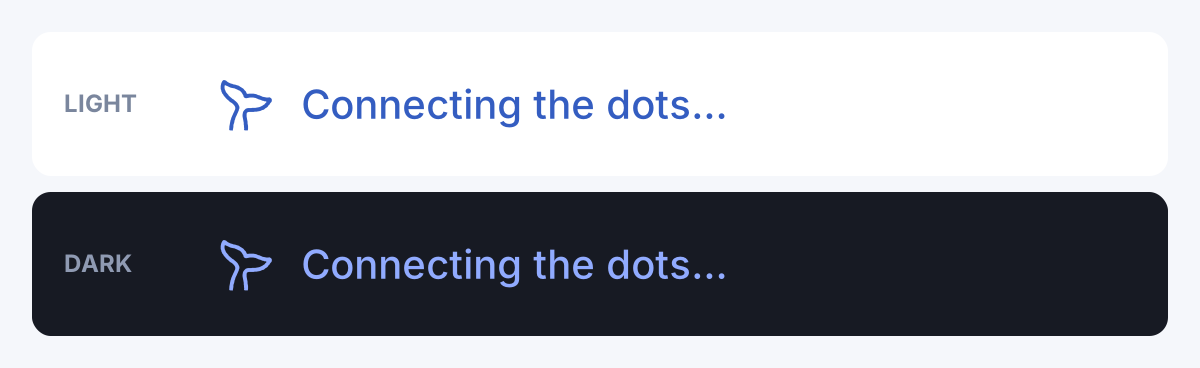
Status text and light/dark gradients
Phrase rotation · Typewriter · Light/dark gradients · Official whale-tail sway. Captured from the actual plugin in a minimal DSH host, using sample phrases and an enlarged status row. Static preview.
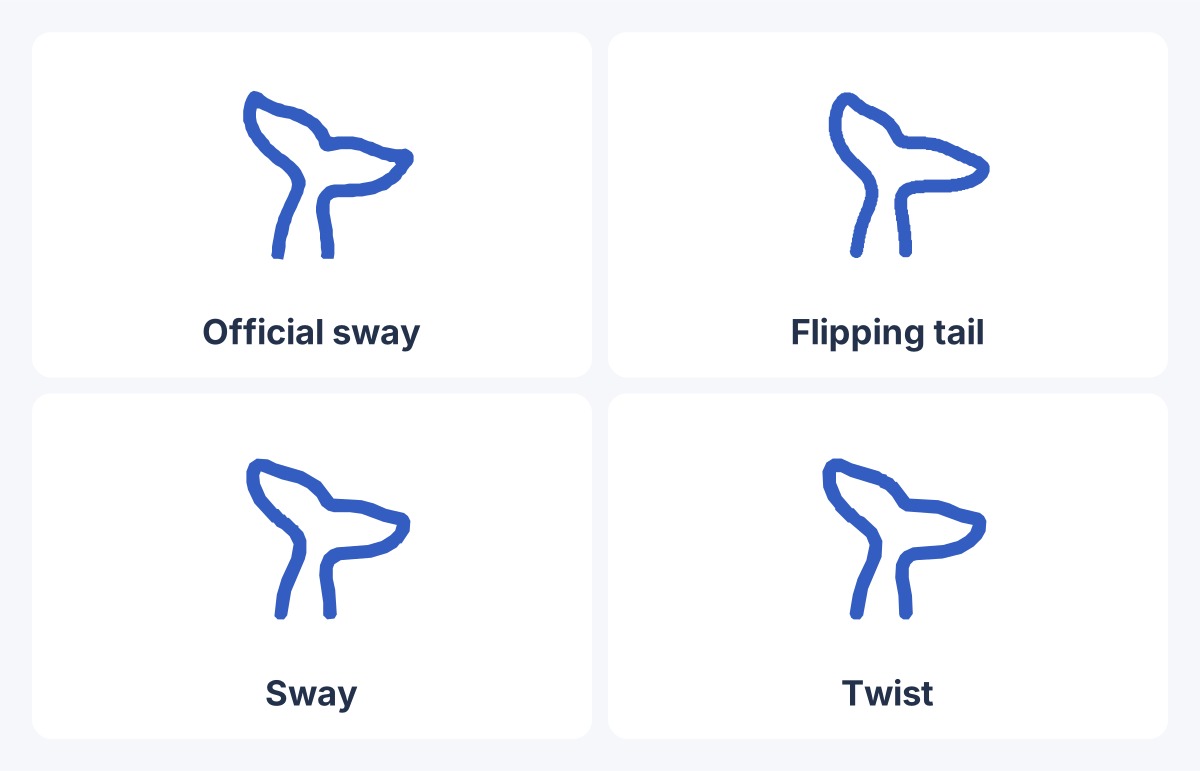
Whale-tail animations
Reading left to right, top to bottom: Official sway → Flipping tail → Sway → Twist. Official sway uses its recommended 4-second cycle; the other three use 0.5 cycles/s. The icon containers stay fixed while the contours deform. Static comparison.
These actions ship in v0.35.0. Under Appearance → Whale tail, enable both Keep the whale tail and Tail motion, then choose the flipping tail, 24-frame sway, 36-frame twist, 150-frame official original sway, or random switching. Existing configurations without animation keep the flipping tail.
| Choice | Behavior |
|---|---|
| Official sway | 150-frame action, recommended speed one cycle every 4 seconds |
| Flipping tail / Sway / Twist | Fixed speed or estimated tok/s; default level 3 tops out at 1.5 cycles/s |
| Random switching | Select an action pool shared by timed switching and optional tool-call triggers |
Speed presets have 2–5 levels; custom tok/s maximums range from 1–10 cycles/s. The official action keeps its recommended speed unless you disable that option.
Speed settings, action pools and tool-call triggers.
Appearance themes and danmaku
Classic / Neon / Terminal / Candy / Glitch set the font, glow, animation and gradient together. Pick a theme, then adjust its individual options. Theme parameters.
Danmaku supports scrolling, top and bottom placement. Optional hover-pause, click-to-copy, phase colors and adaptive density are available in Settings. This is a captured frame with enlarged text and higher opacity for readability. Danmaku parameters.
Installation
Install from npm through the Desktop plugin manager, or use dsh plugin add for Web. Restart the corresponding host after the first install.
Desktop npm walkthrough
DSH Desktop can install directly from npm without cloning this repository. The screenshots below show DSH Desktop 0.2.0-rc.2 with a Chinese interface; layouts may differ between host versions.
-
Open DSH Desktop, select Plugins (插件) in the sidebar, then click Add plugin (添加插件) at the top right.
-
Enter this in the Package name or address (包名或地址) field:
dsh-status-rotator
Choose an Install source (安装源) suitable for your network. The screenshot uses the Mainland China mirror. Click Install (安装); Desktop downloads the npm package and registers the plugin.
-
Wait for installation to finish. Find
dsh-status-rotatorunder Installed (已安装) and confirm that its enable switch is on. Follow any restart prompt; if the settings page has not appeared, fully exit Desktop, including its tray process, and reopen it. -
Open the account menu at the bottom left, then Settings → Status Texts (设置 → 状态文案). Choose packs or edit phrases. For tail motion, enable Keep the whale tail and Tail motion under Appearance → Whale tail. Settings save automatically; start a new turn to see the status line.
Install the npm package from the command line
dsh plugin --profile desktop add dsh-status-rotator
Restart DSH Desktop afterward. Desktop uses the desktop profile; if your terminal cannot find dsh, use the Desktop installation dialog above.
Quick start
For Web, run:
dsh plugin --profile web add dsh-status-rotator
Restart dsh web, then open Settings → Status Texts and start a turn. For Desktop, use the npm walkthrough above or its command-line alternative. Later settings changes save and apply automatically; restart the corresponding host after upgrading plugin code.
The whale tail and tail motion start off; enable them under Appearance → Whale tail. Danmaku starts on and can be disabled under Appearance → Danmaku.
Other installation methods and first-run behavior
Option A: dsh plugin add (recommended)
The plugin's package.json declares a dsh.bundle.patch manifest, so it is recognized automatically after install — no extra flags needed. The command syntax is dsh plugin --profile add (e.g. --profile web):
- From npm (easiest):
dsh plugin --profile web add dsh-status-rotator← always installs the latest release - For DSH Desktop:
dsh plugin --profile desktop add dsh-status-rotator(the desktop build's profile isdesktop) - From a clone:
dsh plugin --profile web add ./dsh-status-rotator - From a release package: download
dsh-status-rotator-.zipfrom the Release page (it contains a ready-to-use plugin directory withconfig.json— not an npm tarball), unzip it, thendsh plugin --profile web add /path/to/dsh-status-rotator.
Manual installation
Option B: manual install
- Put this project directory under your profile's node_modules (default
C:\Users\\.dsh\profiles\node_modules\dsh-status-rotator\); - Insert the following into the profile's
cordis.patch.yml:
- insert:
- id: status-rotator
name: dsh-status-rotator
- Run
node gen-config.cjsto initialize the localconfig.json(copied fromconfig.example.json); - Restart
dsh weband hard-refresh the browser with Ctrl+F5.
First run
On first start the plugin serves, in order: your saved settings ($DSH_HOME/status-rotator/config.json) → the package config.json → config.example.json (what an npm install has: all 1289 default phrases live inside it, see Phrase Bank). Two more layers join in: the auto-updated bank (every 6 hours, see Auto-updating the bank) and the optional external bank ($DSH_HOME/status-rotator/phrases.json, highest priority, see Hot-reloadable external bank). Edit files directly (hot-reloaded while a page is open) or use the Settings → Status Texts page of DSH.
Host version details and isolated testing
> Status line as of dsh 0.1.7: the host moved it into the turn's fold header button[data-turn-process] (Deep diving for 12s), which scrolls out of view in a long turn. The plugin moves the line back above the input box, styled like dsh ≤0.1.6's .turnStatus (26px, shimmer, 13px clock) and pinned with the composer; the header copy is hidden and returns when the turn ends. Duration and phase come from reading the header label (never writing into it). On 0.1.6 and older the role="status" line already sits there and behaves as before.
>
> Status line as of dsh 0.2.0: while a turn runs the host no longer keeps the text inside the fold header — it renders a separate row in the conversation flow, div[data-chat-running] (hidden announcement + divider + DeepSeek whale-tail icon + shimmer text), and button[data-turn-process] now only renders once the turn is closed. The plugin gained a matching host path: it adopts that row (writes its phrase into it, hides the host's own shimmer text, still reads the duration from the host text) with the same position and look, and leaves the screen-reader announcement untouched. whaleTail (off by default) keeps the whale tail in that row, next to the plugin's phrase, and animates it with the rainbow-gradient palette. The separate tail-wagging switch can follow tok/s or use a fixed speed; enabling that switch explicitly opts in to the wag.
> Starting an isolated test instance (without touching your daily profile): install a dsh version into a temp dir and boot a profile with its own DSH_HOME — DSH_HOME=/tmp/dsh-test node /tmp/dsh-test/node_modules/.bin/dsh test020 --from-default-profile web --no-open --port 3081, then dsh plugin --profile test020 add. That instance's config store, bank and settings live inside its own DSH_HOME, so your daily instance is untouched.
> Never a blank line: config.labelSource (default "phrases") decides the text; with an empty bank the plugin's line falls back to the host text instead of rendering an empty row. Set it to "host" to drop rotation and get the verbatim 0.1.6 .turnStatus look (weight 500, inline-flex, 26px, shimmer, clock after 15s).
Feature Overview
| What to customize | What you can do |
|---|---|
| Status text | Rotate by thinking, running and long-task phases; typewriter output, weighted picks and an anti-repeat shuffle bag |
| Phrase content | Toggle and edit packs; use conditions, live placeholders and Chinese/English text |
| Appearance | Light/dark gradients, appearance themes, danmaku with optional hover-pause and click-to-copy, and whale-tail motion |
| Daily workflow | Schedule presets by weekday and time; optionally rotate the browser tab title |
| Saving and updates | Store settings outside the package; hot-apply config changes and report conflicting settings-page writes |
| Plugin integration | Register packs, placeholders and dynamic phrases, or send danmaku through ctx.statusRotator |
| Next step | Go to |
|---|---|
| Choose content and appearance | Settings · Phrase bank · Whale tail |
| Write your own phrases | Packs · Conditions · Placeholders |
| Manage files and bank updates | Configuration · Installation |
| Contribute or develop | Phrase submissions · Extension API · Testing |
Settings Page
Open Settings → Status Texts. Content, Appearance, Behavior and Automation organize the controls; changes save automatically.
Controls and save behavior
Open Settings in the bottom-left of DSH and a new Status Texts page appears in the navigation. The page is split into four tabs and follows the official plugin settings-page spec (760px column, the same tab / field / input language):
Content
- Edit target — one selector covering the base library, any preset (
preset:) and any phrase pack (pack:); saving writes to that target. A target that no longer exists (preset or pack deleted) falls back to the base library; - 中文 / English tabs, each with three text boxes for
thinking/running/long, one phrase per line, blank lines ignored; a linetext | weightsets that phrase's weight; each phase shows its phrase count; - Pack toggles — ten theme packs ship enabled; community, ads and both star packs ship disabled;
- Presets — pick a preset, New to create one, edit its name inline (stored per editing language), Delete to remove it (schedule rules referencing it go with it), and "Set active" to write
activePreset.
Appearance
- Font weight, shared by the status line and danmaku;
- Rainbow gradient: enable toggle, palette mode (follow the interface light/dark, or force day/night), flow direction (right-to-left / left-to-right), separate day + night color sequences, flow speed;
- Danmaku: enable toggle, spawn interval, cross duration, random font-size range, rainbow mode + palette, opacity, max concurrent bullets, layer z-index and phrase scope.
Behavior
- Rotation interval, typewriter speed, long-task threshold, auto-reload interval, placeholder refresh interval, weighted-random toggle.
Automation
- Schedule editor: add/remove weekday + time-window rules that switch presets automatically; the currently effective preset (schedule included) is shown live.
Across the page:
- Changes save themselves: toggles and selects write immediately, text/number fields 400ms after you stop typing (a preset rename on blur) — no save button, and only a failed write turns the toolbar red;
- Every write PUTs the full JSON to
/plugins/dsh-status-rotator/config.json; the node half validates and writes it back atomically, and open pages hot-apply it — invalid content returns 400 and shows an error instead of corrupting the file; - Switching the edit target or hitting Reload flushes drafts first (nothing is silently dropped); numeric fields are validated as you type with a Reset action when a value differs from its default; the footer links back to the source repo.
After upgrading to a version with the settings page, restart dsh web once (so the node half registers the write endpoint); everything after that can be done from the page.
Whale-tail settings
Speed settings, random switching and tool-call triggers
Recommended official speed. officialRecommendedSpeed defaults to true. Official sway uses 0.25 cycles/s (one cycle every 4 seconds) in fixed, tok/s, random and tool-triggered playback. Other actions restore the user’s speed automatically. Turn this switch off to apply the common speed settings to official sway too.
Speed levels. Levels 2–5 are speed presets with maximums of 1.0 / 1.5 / 2.0 / 2.5 cycles/s: higher levels move faster at high output rates. For other actions, every level has a minimum of 1 cycle/s; level 3 uses 1.00 / 1.25 / 1.50. Selecting a level restores its maximum. Editing a level’s maximum shows Custom rather than mislabeling it as a preset. Continuous mode retains its own maximum. Boundaries have a deadband of about 4.8 tok/s on each side. Explicit maximums in old configurations remain effective and show Custom when they do not match a preset.
Random mode requests a switch every 4–8 seconds, choosing a different action only from randomActions. It waits for the current loop junction and uses six contour bridge frames. A single selected action keeps playing without redundant transitions. Tool-call triggers use the same pool. All four actions share speed and gradient settings. Hidden pages pause playback; turn end, disabling or unloading releases contours and listeners.
Speed changes preserve animation progress to avoid jumping frames. Rebuilt host icons recover the current action, speed, and gradient; random mode also retains its switching schedule. These ideas were inspired by dsh-whale-sway; see the adaptation notes.
Rebuilt icons restore their within-cycle progress. A six-frame bridge already in flight also resumes its original target and progress. Temporary icon gaps retain a playback snapshot until the row is released, without holding the old DOM nodes.
Tool-call triggers: enable “Randomly switch on tool calls” in the same settings group. It defaults to off with a 35% chance, configurable from 0–100%. Each new tool/call in the current session is checked once; history, paging, repeated notifications, and streamed arguments do not trigger it. Hits switch to a different action at the junction through six bridge frames; consecutive hits share one pending request. This works with fixed actions and timed random mode. A tool-triggered replacement of a fixed action remains until another trigger, an action selection change, or disabling this option. Disabling it restores the selected action at a junction. Hosts without the event source simply skip this feature.
"whaleTail": true,
"whaleTailMotion": {
"enabled": true,
"animation": "random",
"toolSwitchEnabled": true,
"toolSwitchChance": 0.35,
"mode": "tps",
"fixedSpeed": 1.5,
"tpsTiers": 3,
"officialRecommendedSpeed": true,
"randomActions": ["wag", "official"]
}
For local development, open the action preview to try all actions, random switching, and fixed speed using the actual plugin. Run npm test, npm run test:browser:turn-process, and npm run test:browser:settings to check configuration, bridges, speed, persistence, and cleanup.
The preview also has a “Simulate a tool call” button. Select a fixed action and set the chance to 100% to inspect tool-triggered switches, then use 0% as a no-trigger comparison.
Below the tool-trigger controls, connection status and live counts show new calls, probability hits, and switches started. Counts begin when the plugin connects to the current session; history is not replayed. New hosts use the main conversation's data-conversation-session, including when the right sidebar is closed. Delayed or replaced bindings are retried. Hits while the page is hidden stay queued and play at a junction after the page becomes visible.
Pending requests belong to the current session: calls arriving before the icon still undergo the probability check and are consumed when the icon appears. Same-session reconnects retain the tool-selected action and pending requests. Ending the corresponding turn, disabling the feature, changing logical sessions, or unloading clears the queue so requests cannot leak into a later turn.
How It Works
Phase timing, host integration and text sources
Phase Awareness
Phrases are split into three groups based on turn progress (determined by whether a clock has appeared in the status element and its reading):
| Phase | Trigger | Default duration |
|---|---|---|
thinking |
Turn just started, no clock | 0 ~ 15s |
running |
Clock visible, under the limit | 15s ~ longAfterMs |
long |
Clock past longAfterMs |
≥ 60s |
Phase changes swap the phrase immediately without waiting for the rotation interval. If a phase has no phrase group, it falls back automatically (running → thinking → any non-empty group).
Zero-Intrusion Targeting
The status label is located by role="status" + aria-live="polite" (dsh ≤0.1.6) or button[data-turn-process] (0.1.7+), so code snippets in the chat history and other aria-live regions are never touched. On 0.1.7+ the plugin does exactly three things: insert its own line in the composer seat, hide the header copy, and read the header label for the duration — the host clock is only read, while phase and elapsed come from the session snapshot.
Status line text source (label source)
config.labelSource decides what the status line says; both host generations honour it:
| Value | Status line text | When to use it |
|---|---|---|
"phrases" (default) |
one phrase from the bank, rotating per phase | the plugin's normal behaviour |
"host" |
the host text only: Deep diving... / 深度求索中 |
when you want the pure 0.1.6 look with no meme phrases |
- Never a blank line: when the bank is empty (no
config.json, or a preset cleared the texts),"phrases"mode falls back to the host text instead of leaving an empty row with only the clock; "host"copies the 0.1.6 look as well: the plugin line matches.turnStatusproperty for property (weight 500,height: calc(26px + …),inline-flex, same shimmer andprefers-reduced-motionfallback) and.turnStatusClock(13px, tabular-nums, 8px gap, weight 400), with the clock on the old schedule (elapsedMs >= 15s) and the text written in one go rather than typed; old hosts (≤0.1.6) are not touched at all in"host"mode;- A matching dropdown lives on the settings page (Status line text source), and
{"labelSource": "host"}can be written intoconfig.jsonor a preset.
Phrase Bank
The default bank ships 1289 phrases, split into 14 theme packs (the core phrases table is empty — everything lives in packs). Ten packs are enabled by default; community, ads and the two star packs ship disabled — turn them on from Settings → Status Texts → Phrase packs:
| Pack | zh | en | Total | Default |
|---|---|---|---|---|
deepseek DeepSeek 专场 |
107 | 111 | 218 | on |
coding 写代码日常 |
87 | 81 | 168 | on |
daily 日常 |
77 | 64 | 141 | on |
internet-memes 网络梗 |
57 | 34 | 91 | on |
sysadmin 系统管理 |
41 | 38 | 79 | on |
slacking 摸鱼 |
40 | 33 | 73 | on |
math-physics 数学与物理 |
35 | 22 | 57 | on |
western-ai 西方 AI 圈 |
20 | 22 | 42 | on |
reverse-proxy 反代 |
19 | 21 | 40 | on |
china-ai 中国 AI 圈 |
22 | 14 | 36 | on |
community Community |
63 | 0 | 63 | off |
ads Ads |
3 | 3 | 6 | off |
star-ask 求 star |
11 | 12 | 23 | off |
star-route 星标者路由 |
126 | 126 | 252 | off |
| total | 708 | 581 | 1289 | 945 on / 344 off |
- Most entries are zh/en mirrored pairs; recent community submissions are often zh-only — choose zh + en (both) in the submission form to get each phrase in both languages;
- 5 weighted showcase entries (see Weighted Random) — most phrases are plain weight-1 strings;
- The bank grows through the community phrase-submission form: validated and merged submissions are credited in CONTRIBUTORS.md;
- The numbers are computed from
config.example.jsonbynode scripts/sync-bank-counts.cjs(the submission bot and the star-pack refresh call it automatically; run it once after editing the bank by hand); runnode scripts/check-bank-memes.mjslocally to audit the current bank (duplicates, lengths, ellipsis, series share).
The star packs (off by default) — two separate packs, so you can take one without the other:
| Pack | What it is |
|---|---|
star-ask 求 star |
pure star-ask phrases, e.g. 正在向你讨一个 star… / Begging for a star… |
star-route 星标者路由 |
one phrase per current stargazer — 正在路由 写代码… / Routing to write code…, so the rotation literally routes every star-giver to work |
They ship disabled because begging is a matter of taste, not because they are broken: flip them on in Settings → Status Texts → Phrase packs. The Star packs workflow refreshes the stargazer list (weekly, when its own files change, or on demand) with the repo GITHUB_TOKEN, landing through a bot PR that is merged automatically once Test is green; the job is skipped in forks (their token cannot read stargazers of this repository) and STAR_TOKEN overrides it. Locally: node scripts/update-star-pack.cjs --token.
Phrase Packs
Pack JSON and merge rules
The bank is composable from named packs layered on top of the core phrases table:
{
"packs": [
{ "id": "community",
"label": { "zh": "社区投稿", "en": "Community" },
"phrases": { "zh": { "running": ["正在试用词库包…"] } } }
],
"enabledPacks": ["community"]   // absent = all packs enabled; [] = core bank only
}
- Enabled packs merge into the effective bank in order, deduped by text — an entry already present in the core bank (or an earlier pack) is skipped, keeping its weight;
enabledPacksabsent/null= all packs on;[]= core bank only. Unknown ids in the list are ignored;- Packs support the exact same entries as the core bank (strings or
{text, weight}, per-phase groups, placeholders); - The settings page shows every pack with a per-pack enable toggle and a pack editor target: pick a pack and the phrase library editor reads/writes that pack's phrases;
- The default config ships 14 packs (
deepseek/western-ai/china-ai/coding/reverse-proxy/sysadmin/math-physics/slacking/internet-memes/daily/community/ads/star-ask/star-route);enabledPackspins the ten default-enabled ids. - The phrase-submission form has a 目标词库包 picker: submissions append to the selected pack, with
communityas the default.adsaccepts attributed ads;star-routeis generated from stargazers and is not a submission target. - Old configs without packs keep working untouched.
Weighted Random
Entries are picked by weight. Write a phrase as "text | 3" (or { "text": "text", "weight": 3 }) for weight 3; no weight = 1, capped at 1000, invalid values count as 1. weightedRandom: false goes back to fully uniform. Five showcase entries in the bank use weights.
Anti-repeat (shuffle bag)
Since v0.31.0 the status line remembers what it just said per language + phase, with a shuffle bag instead of the old "avoid the previous phrase" rule:
- A phrase is never repeated until the bag is empty — with 40 phrases in a phase you get 40 different lines in a row, not a lottery that can hand you the same one twice;
- When the bag is refilled, the last
recentLimitphrases are held back, so a cycle boundary cannot repeat either; - Weights still apply inside the bag (a weight-9 phrase tends to come up early in each cycle);
persist: truekeeps the memory in browser storage, so a page reload does not immediately show the same line again.
"antiRepeat": { "recentLimit": 3, "persist": false }
recentLimit is 0–50 (0 = bag only, no cross-cycle memory). Everything is editable from Settings → Status Texts → Behavior → Anti-repeat.
Conditional phrases (when) and rarity
Conditions, rarity and editor syntax
A phrase can be restricted to the state it actually describes, so it appears exactly when it is true instead of competing with the other 1200 lines. Add a when object (or the | when:… suffix in the settings editor):
"phrases": { "zh": { "running": [
"正在写代码…",
{ "text": "正在敲命令…", "weight": 2, "when": { "tool": "bash" } },
{ "text": "正在满世界翻…",     "when": { "tool": "web_search" } },
{ "text": "又失败了,再试一次…", "when": { "retry": true } },
{ "text": "等你点头…",         "when": { "pending": true } },
{ "text": "夜深了…",           "when": { "hour": [22, 6] } },
{ "text": "初次见面…",         "when": { "firstTurn": true } },
{ "text": "传说级的一句…",      "rarity": 0.01 }
] } }
| Condition | Type | Meaning |
|---|---|---|
tool |
string / string[] / "*" |
a tool with that name is running ("*" = any tool) |
retry |
boolean | a retry is in flight |
pending |
boolean / number | dsh is waiting for your answer (number = at least that many) |
phase |
string / string[] | thinking / running / long / idle |
hour |
[from, to] |
local hour window, may cross midnight ([22, 6]) |
firstTurn |
boolean | the first turn of this session |
- All listed conditions must hold (AND).
{ "tool": "bash", "phase": "long" }needs both; - A matching conditional phrase wins the draw: if any phrase's conditions hold, the pick is made from those — otherwise a
bashphrase would be buried under a thousand unconditional ones. When nothing matches, the unconditional phrases are used as usual, so the line is never empty; rarity(0, 1] is an easter egg: the phrase only takes part in that fraction of draws.0.01= 1%;- Conditions are judged from the live engine (
{tools}/ retry /{pending}/ phase); on a host without those APIs the conditional phrases simply never appear and the unconditional ones carry on.
In the settings editor (one phrase per line; modifiers go at the end in any order):
正在写代码…
正在敲命令… | 2 | when:tool=bash
正在满世界翻… | when:tool=web_search
又失败了,再试一次… | when:retry
夜深了… | when:hour=22-6
传说级的一句… | rarity:0.01
when: takes tool=bash (join several with +, * = any tool), retry, pending, phase=long, hour=22-6, firstTurn; separate several conditions with , to require all of them. A | inside the phrase itself is left alone, and the round trip is exact — opening and saving the settings page never drops a condition.
Template Placeholders
Available placeholders and examples
Any phrase (and any title template) may contain placeholders, replaced at render time:
| Placeholder | Meaning | Example |
|---|---|---|
{elapsed} |
elapsed time of the current turn, localized like the clock | 正在写代码 1分02秒… |
{phase} |
phase id: thinking / running / long / idle |
running |
{phaseLabel} |
localized short label of the phase | 运行中 |
{model} |
model of the current session (live engine, — when unknown) |
deepseek-chat |
{provider} |
provider route of the current session (live engine) | deepseek |
{tps} |
streaming tokens/s estimate (live engine) | 12 |
{pending} |
interactions waiting for an answer — approvals and questions share this one counter (live engine) | 1 |
{tools} |
running tool names joined with + (live engine) |
bash+web_search |
{running} |
run / idle (live engine) |
run |
{retry} |
retry attempt in the current step (live engine; empty when none) | 3 |
{retryMax} |
the retry policy's cap (may be empty on older hosts / always mode) |
5 |
{retryProvider} |
provider that triggered the retry (provider-neutral, passed through verbatim) | deepseek-official |
{retryCode} |
short failure code (safe token ≤32 chars; URLs, paths and raw messages are never rendered) | sampling_error |
{retryStarted} |
1 once the retried attempt is actually running (after llm/retry-started), else empty |
1 |
{detail} |
the whole observation badge, rendered from config.details.badge |
⟳ 3/5 |
{locale} |
current UI language (zh / en) |
zh |
{date} |
local date YYYY-MM-DD |
2026-08-07 |
{time} |
local time HH:MM:SS |
12:34:56 |
Placeholders that change over time ({elapsed} {date} {time} {tps} {pending} {tools} {model} {provider} {retry} {detail}) refresh live every liveTickMs (default 1000 ms; 0 = once per rotation). Unknown placeholders are left as-is, so {...} is safe in a phrase. Values come from a real-time status engine subscribing to the session snapshot, the pending list, model RPC and the session event window, with a DOM clock fallback — without the session API, {model} / {provider} / {tps} / {tools} stay — and {pending} stays 0. The current session id is resolved as sessions.list.current (≤0.1.6) → localStorage['dsh.sessions.current'] (0.1.7+) → the DOM's [data-sidebar-right-session].
Observation channel (see deepseek-harness discussion #3669): that thread points out that subagent retries and transport fallback hide behind Deep diving…, and that the missing half is a structured data channel. The plugin consumes protocol events only (llm/retry / llm/retry-started from binding.eventSource) — no log scraping, no wording inference; the vocabulary stays provider-neutral (provider / code passed through, never enumerating product-specific codes); with no event window it simply shows nothing. The badge template lives in config.details.badge (empty string = placeholders only, no badge):
"details": { "enabled": true, "badge": "⟳ {retry}/{max}" }
"phrases": { "zh": { "thinking": ["正在写代码 {elapsed}…", "正在{phaseLabel}中 ({elapsed})…"] } }
{pending} and the session's approval policy
{pending} counts the session's pending interactions — the same list the UI renders as composer takeovers — with approvals and questions sharing one counter, so either one makes it 1 while it waits. dsh publishes at most one interaction per session, so in practice this is a 0 / 1 flag, not a queue length; it is event-driven, re-rendering the label the moment an interaction appears or disappears.
What approvals contribute depends entirely on the session's own permission preset (sandbox mode + approval policy, switched with /permission) — the plugin neither reads nor changes that setting:
ask— a sensitive action asks first, and its approval request counts while it waits:{pending}turns1as the approval panel appears and back to0once you click;never— approval prompts are disabled: dsh rejects such an action up front, the client never builds a panel, and approvals contribute nothing. Note what the counter does not say: a rejection is not a pending interaction, so{pending}can never report "an action was rejected";- questions are a different domain and stay pending regardless of the policy, so
{pending}can still show1underneverwhile dsh waits for an answer (a plan review, for instance).
So {pending} answers exactly one question — is dsh waiting for me right now? — and under never the only thing that can make it non-zero is a question. On a dsh build that exposes no pending-interaction list at all, the value simply stays 0.
Rainbow Gradient
Palettes and gradient configuration
Status text is drawn with an animated rainbow gradient by default (text only, not the clock). Since v0.22.0 there are two palettes — night (dark) and day (light) — following the interface theme (mode: "auto"; "day" / "night" forces one) and re-coloring live; direction is "rtl" (default) or "ltr" to match the typewriter (issue #41). Disable or recolor it in the config:
"gradient": {
"enabled": false,                          // false to disable; true for default colors
"mode": "auto",                            // auto follows the interface light/dark theme; day / night forces one
"direction": "rtl",                        // rtl right-to-left (default); ltr left-to-right (matches the typewriter)
"colors": ["#ff5f6d", "#00ff88", "#4da6ff"], // night (dark theme) color sequence (at least 2, first/last cycle)
"dayColors": ["#d92b4b", "#0e7490", "#6d28d9"], // day (light theme) color sequence (at least 2, first/last cycle)
"speed": 4                                 // animation speed (seconds per cycle)
}
Existing configs that only set colors keep using it in both themes (nothing changes on upgrade); add dayColors to get a separate light-theme palette.
Appearance themes
Appearance options and presets
Everything that used to be limited to the gradient and the font weight now has a full set of ingredients, plus a theme gallery that sets them all in one click (Settings → Status Texts → Appearance → Appearance theme).
"appearance": {
"fontFamily": "",        // empty = follow the interface; letters/digits/spaces/commas/quotes/hyphens only
"fontSize": 0,           // px; 0 = follow the host; other values are clamped to 8-96 px
"glow": false,           // soft halo around the text
"glowColor": "",         // empty = first colour of the gradient palette
"animation": "none",     // none | breathe | glitch
"spinner": "none"        // none | ring | bar
}
- Every default means "change nothing" — a config without this block renders exactly as before;
- The theme gallery ships five packs (
classic/neon/terminal/candy/glitch); picking one writes both the appearance and the gradient palette, and every field stays editable afterwards; animationandspinnerare attached to the plugin's own text span as CSS classes, so the host's own text and clock are never touched;breatheandglitchare dropped underprefers-reduced-motion;- The activity indicator shows "work is happening", not a percentage - the host exposes no turn progress;
fontFamilyis written into CSS, so it is validated against a strict whitelist (letters, digits, spaces, commas, quotes, hyphens) and anything else is rejected rather than escaped.
Danmaku
Danmaku parameters, interaction and dialog behavior
Optional: every phrase can also spawn as video-site-style bullet-screen comments flying from right to left across the page (by default behind the UI — the layer is squeezed between the app background and the chat content, visible in the gaps):
"danmaku": {
"enabled": true,
"intervalMs": 2500,        // spawn interval (ms); smaller = more of a flood
"speedMs": 18000,          // time to cross the screen, right → left (ms); larger = slower
"fontSizeMin": 14,         // min random font size (px)
"fontSizeMax": 30,         // max random font size (px)
"rainbow": true,           // rainbow mode: each bullet picks a random color from `colors`
"colors": ["#ff5f6d", "#00ff88", "#4da6ff"], // palette (at least 1)
"color": "#ffffff",        // solid color used when rainbow = false
"opacity": 0.3,            // global opacity (0.05 ~ 1); each bullet jitters between 75% and 100% of it
"maxCount": 12,            // max concurrent bullets on screen
"zIndex": -1,              // negative = behind the UI (default), non-negative = above the UI
"scope": "all",            // "all" = every phrase of the current language; "phase" = current phase only (with fallback)
"marginTop": 16,           // top padding of the bullet band (px)
"marginBottom": 160,       // bottom padding (px), keeps the input area clear
// ── new in v0.19: top / bottom (bilibili-style) danmaku ──
"types": {                  // per-type switch + relative weight; scroll = the original type
"scroll": { "enabled": true, "weight": 2 },
"top":    { "enabled": true, "weight": 1 },
"bottom": { "enabled": true, "weight": 1 }
},
"mode": "scroll",           // optional: force ONE type for every bullet (scroll/top/bottom, or 1/4/5); omit = weighted
"fixed": {                  // top/bottom style — the single place to change them all
"fontSize": 25,          // px
"color": "#ffffff",      // solid colour used when rainbow = false
"shadow": "1px 0 1px rgba(0,0,0,.85),-1px 0 1px rgba(0,0,0,.85),0 1px 1px rgba(0,0,0,.85),0 -1px 1px rgba(0,0,0,.85)",
"marginTop": 16,         // distance from the top edge of the play area (px)
"marginBottom": 160,     // distance from the bottom edge (px)
"gap": 4,                // stacking gap between bullets (px)
"durationMs": 4500,      // how long one bullet stays on screen (ms)
"maxCount": 3,           // max bullets of the SAME type at once
"zIndex": 10,            // front layer: 10 sits above the chat, below the shell overlay (20)
"reserveBands": true,     // scrolling bullets keep out of the top/bottom lanes (no overlapping text)
"anchorBottomToHost": true, // bottom bullets sit above the input area (its status line), not merely marginBottom away
"overflow": "drop"       // full → drop this spawn (same strategy as scrolling danmaku)
}
}
- With
zIndex < 0(default) the layer is mounted inside the element painting the app background (normally the conversation surface), so bullets sit between that background and the chat content — visible in the gaps and behind the conversation, never covering bubbles or the sidebar. Hidden by an opaque theme background? Set a non-negativezIndexto float above the UI. Pointer events are off by default; explicitly enabling hover-pause or click-to-copy makes only the bullets interactive, while the container keepspointer-events: none. - Mount point is re-resolved on every spawn (the fix behind v0.15.2 / v0.16.1): the app frame is found through the shell marker
data-shell-overlay, and the innermost element inside it that paints an opaque background and covers most of the conversation column becomes the host (it getsisolation: isolate). Before the shell renders, the layer briefly falls back todocument.bodyat a visible z-index and moves into place as soon as the target appears. Still invisible? Turn ondebugand look fordanmaku layer mounted inside the background panel. - Bullets support the same placeholders as phrases (
{elapsed}{model}{phase}…), rendered with live values at spawn time;danmaku: falsedisables the feature, andfontSizeMin/fontSizeMaxset the random size range (auto-corrected, clamped to 8–200 px).
Danmaku extras
Five optional behaviours, all off by default (Settings → Status Texts → Appearance → Danmaku):
| Option | What it does |
|---|---|
hoverPause |
Hovering a scrolling bullet freezes it; moving away resumes it from where it stopped (the remaining flight time is recomputed) |
clickCopy |
Clicking a bullet copies its text; with no clipboard API nothing happens rather than pretending it worked |
phaseColors |
{ "thinking": "#5fd4ff", "running": "#7dff7d", "long": "#ffc371" } - colour each bullet by the current phase |
adaptDensity |
Spawns get sparser as the on-screen count approaches maxCount, and almost stop while the page is hidden |
avoidPointer |
Bullets land away from the pointer's height band |
> :warning: hoverPause and clickCopy turn the danmaku layer into a pointer target, which is the opposite of the "the layer never intercepts pointers" guarantee. They are therefore opt-in, and only the bullets themselves take pointer events - the layer keeps pointer-events: none.
Sending your own line - ctx.statusRotator.sendDanmaku(text) (the registration API) flies a line across immediately, and the settings page has an input for it. While the settings dialog mask is up the danmaku layer is paused, so the line is queued and sent once the mask goes away instead of being silently lost.
Coexisting with host dialogs: pause behind the mask (since v0.25)
The dsh settings dialog mask is a full-viewport backdrop-filter: blur(2px) layer: with the danmaku layer still translating behind it, the browser recomputes a full-screen blur every frame and the dialog flickers (issue #60). With pauseBehindMask (default true) a hit stops the danmaku outright — layer and in-flight bullets torn down, spawn timer cleared, host isolation restored — rebuilding everything the moment the mask goes away. Detection hit-tests the four corners plus the centre (one probe per 250 ms, rescanAll every 2 s as a safety net); small backdrop-filter surfaces (menus, cards, tooltips) never match.
Top / bottom danmaku (bilibili-style, since v0.19)
danmaku.types gives the three types (scrolling / top / bottom) an enabled flag and a relative weight, and danmaku.fixed collects their styling (font size, single color, stroke, gap, hold time, same-type cap, z-index, reserveBands to keep scrolling bullets out of the top/bottom lanes, anchorBottomToHost to pin bottom bullets above the input area).
modeforces every bullet to one type (scroll/top/bottom, or bilibili 1 / 4 / 5); leave it out to distribute by weight;- Top/bottom bullets default to white text with a stroke and their own size and hold time — all of it lives in
danmaku.fixed; - ⚠️ The default distribution changed: with no
typesin your config all three are on (scroll 2 : top 1 : bottom 1); for the pre-v0.19 look set"top": { "enabled": false }and"bottom": { "enabled": false }(or flip them off on the settings page).
Browser Tab Title
Title templates and ownership
Optional and off by default. When on, the browser tab title rotates through your templates while a turn is running:
"title": {
"enabled": true,
"templates": ["⏳ {phaseLabel} {elapsed}", "🤔 {phaseLabel}… {elapsed}"], // rotated every intervalMs
"idleTemplate": "💤 dsh 空闲",   // "" = hand the title back to the host when idle
"intervalMs": 8000
}
Templates support the same placeholders as phrases. When no turn is active the title shows idleTemplate; with idleTemplate: "" (or enabled: false) the plugin hands the title back to the host. title: false disables it entirely.
Editable from the settings page (since v0.27.0): DSH → Settings → Status Texts → Behavior has a Tab title group — an on/off switch, the templates (one per line), the idle title and the rotation interval. Saving writes it into the plugin's config store with everything else, so it survives plugin upgrades and you never have to hand-edit config.json.
It only writes a title it took over itself: the plugin touches document.title only while that title is its own. If it never took one over — or already handed it back — it does not touch it at all, including the session title the host writes (— DeepSeek Harness) and titles written by other plugins. Turning the switch off hands back the last host-written title and stops touching the title for good.
> Fixed in v0.27.0. The old rule was "if the current title differs from the value cached at start-up, write it back", which overwrote any other writer — classically oh-my-dsh's brand rename (it rewrites a trailing DeepSeek Harness to Oh My DSH). The value read back could never equal the value written, so the title was rewritten every tick (scripts/title-coexistence-test.html measures 10 rewrites in 2.6 s with the session title wiped off the tab; 1 write after the fix).
Presets & Scheduling
Preset JSON and schedule rules
A preset is a named bank snapshot (optionally with its own config), switched from the settings page or automatically by schedule rules:
"presets": [{ "id": "night", "name": "Night", "phrases": { "zh": { "thinking": ["夜深了…"] } } }],
"activePreset": null,
"schedule": [{ "preset": "night", "days": [1,2,3,4,5], "from": "22:00", "to": "06:00" }]
daysruns0(Sunday) to6(Saturday);from/tomay cross midnight (22:00→06:00);- While a window matches, that preset is active; outside it the plugin returns to
activePreset. The Automation tab has a visual editor and shows the effective preset live; - Keys a preset leaves out fall back to the global config.
Extending it from another plugin
Registration API and lifecycle
Since v0.31.0 the browser half publishes a registration API on the host context, so another plugin can contribute content without touching this plugin's source:
// in the other plugin's client half
export const inject = ["statusRotator"];   // or ctx.get("statusRotator") when it is optional

export function apply(ctx) {
const api = ctx.statusRotator;
api.registerPack({ id: "my-pack", label: { zh: "我的词库", en: "My pack" },
phrases: { zh: { running: ["正在替我干活…"] } } });
api.registerPlaceholder("myState", () => "3 项");
api.registerPhraseProvider({ id: "my-provider", provide: (site) => (
site.phase === "long" ? [{ text: "第三方条件句…", when: { phase: "long" } }] : []
) });
}
| Call | Adds |
|---|---|
registerPlaceholder(name, resolve, { live }?) |
a {name} placeholder usable in phrases and title templates |
registerPhraseProvider(fn \| { id, provide }) |
a dynamic phrase source, re-read on every rotation |
registerPack({ id, label?, phrases }) |
a named bank, merged exactly like a document pack |
sendDanmaku(text) |
fly one of your own lines across as a scrolling bullet (queued while the host mask pauses the layer) |
- All three return an unregister function — call it when your plugin unloads, and your content goes away with it;
- Registering the same name/id twice, or claiming a built-in placeholder name (
elapsed,pending,phase, …), throws; a provider that throws on its first call, or returns something that is not entries, throws at registration. Failures are explicit — never "silently nothing appears"; - A provider that only breaks later is recorded in
status().failures, warned about once, and skipped for that pick; the status line keeps running; - Providers receive
{ locale, phase }and return an array of entries (the same shapes as the bank: a plain string or{ text, weight, when, rarity }), or a{ thinking, running, long }table. An empty array is a valid "nothing right now"; - External content goes through the same pipeline as the shipped bank — pack dedup by text,
when/rarity, the shuffle bag — and never enters the config document: registering writes no config, and a settings save neither persists nor drops it; api.status()reports what is registered and which keys have failed;api.versionis currently1and would increment on a breaking change.
ctx.provide is the cordis mechanism (the built-in locale service is published the same way). On a host without it the rest of the plugin works unchanged and third-party registration is simply unavailable.
Configuration
Use the settings page for everyday edits. Saved settings live at $DSH_HOME/status-rotator/config.json; the external bank is phrases.json in the same directory. Bank updates are fetched every 6 hours by default and can be disabled.
Files, hot reload, bank updates and full parameter reference
Phrases are fully separated from the source code and live in JSON config files. There are two config files at the project root:
config.example.json— the complete template committed to the repo: default config + all phrases (bilingual, split into three phases);config.json— your local personalized config, initialized bynode gen-config.cjs(only created when missing, never overwrites your changes). It's in.gitignore, so edit freely without polluting git.
Auto-loading + push (default): the plugin's node half registers two HTTP routes —
/plugins/dsh-status-rotator/config.json (the document) and /plugins/dsh-status-rotator/events (an SSE channel). The browser opens the SSE channel on start and the channel, not the page, is what triggers a re-read: as soon as anything changes — a settings save, a hand-edited config.json, a bank update — the server pushes a notification and open pages re-read immediately. While the channel is connected the reloadIntervalMs poll is suspended (near-zero cost for a page left open); if the channel is unavailable or drops, polling comes back automatically, and because the server re-sends the current ETag on every (re)connect, a client that missed changes while disconnected syncs the moment it reconnects. The only restart of dsh web needed is on first install.
Writing the config from outside (ETag / If-Match)
Every GET carries an ETag; send it back as If-Match and a write based on a stale copy is rejected instead of clobbering the other writer:
| Request | Result |
|---|---|
PUT without If-Match |
200 — an unconditional write. Preconditions are the client's choice in HTTP, so existing scripts keep working; they simply get no concurrency protection |
PUT with a stale If-Match |
409 conflict, with the current ETag in the body — the write is rejected instead of clobbering the other writer |
PUT with the current If-Match |
200, and the response carries the new ETag |
PUT with If-Match: * |
200 — an explicit "overwrite whatever is there" for scripts |
GET with If-None-Match |
304 when nothing changed (no body) |
Read → write with the ETag you were given; on 409 re-read and re-apply. The settings page always sends it, so two tabs of the settings page can never silently overwrite each other; on a conflict it tells you the save was rejected and reloads the latest config instead of leaving the editor showing an edit the server never accepted.
Hot-reloadable external bank
Since v0.20.0 the node half also reads an optional phrase bank file outside the package — $DSH_HOME/status-rotator/phrases.json by default, overridable with the DSH_STATUS_ROTATOR_BANK environment variable (absolute path, or relative to the process working directory). It is plain JSON with the same shape as config.example.json, but you only need the keys you want to override — the minimal file is one pack and one phase:
{ "packs": [{ "id": "china-ai", "phrases": { "zh": { "thinking": ["正在飞唐杰马…"] } } }] }
The node half inspects the file on every request: when it changes it is re-read and re-parsed (an mtimeNs + size fast path, then a content comparison, so a rewrite within the same timestamp tick is still caught), and the server-side change detector turns that into a push within a couple of seconds — no process restart, no reinstall, no republished npm package, and no waiting for a client poll. Rules:
- only
packs/phrasesare taken from that file; aconfigkey inside it is ignored, so runtime options stay under the settings page /config.json; - the bank is the highest-precedence phrase layer: the effective document is merged as bundled
config.example.json→config.json→ auto-updated bank → user config store → external bank, and packs are merged perid, so declaring one pack leaves the other packs untouched. To hand a pack back to the settings page, delete that pack from the bank file (bank content is never recorded as your change in the config store or the compatibility mirror, so the bundled / upstream copy comes straight back); - the built-in bank stays the fallback: with no such file the plugin behaves exactly as before, and a corrupt file keeps the last successfully loaded copy in service while recording the error (
externalBankStatus()); - verify it on a single process:
node scripts/verify-phrase-hot-reload.cjsapplies the plugin, starts a real HTTP server, GETs the route, rewrites the bank file twice and GETs again — all without a restart.
Auto-updating the bank
Since v0.21.0 the node half fetches the repo main config.example.json every 6 hours (jsDelivr by default, for reachability) and caches it at $DSH_HOME/status-rotator/bank.remote.json. The response is validated like any other layer, only packs / phrases are kept, and the cache is rewritten atomically only when the content actually changed — so merged submissions and the weekly star-pack refresh reach a running install without a restart, a reinstall or another npm release.
DSH_STATUS_ROTATOR_BANK_URL— upstream address (your own mirror works);offor empty disables it;DSH_STATUS_ROTATOR_BANK_INTERVAL_MS— interval in ms (0disables); unset = 6 hours.
Upstream changes apply only to packs you have not explicitly customized: a pack edited on the settings page (or declared in the local bank file) keeps winning, and a new pack added upstream stays off until an enabledPacks entry ships with a release (the auto-updated layer deliberately carries no config). Failures (unreachable CDN, HTTP error, invalid JSON, empty document) only land in remoteBankStatus() while the last good copy keeps serving. By default this is a periodic request to jsDelivr — set the URL to off (or the interval to 0) to stay fully local.
Persistent storage (v0.6.1, and since v0.26.1 really in the plugin data directory): saved edits go to $DSH_HOME/status-rotator/config.json (path overridable with DSH_STATUS_ROTATOR_CONFIG) — next to the bank files, belonging to no package, so upgrades never touch it.
- Two silent failures came before: the config once lived in the plugin directory (replaced on upgrade), and the official dsh settings store turned out to have no
register()on 0.1.7-rc.1, which killed that path and reset settings again (issue #51). Since v0.26.1 persistence no longer depends on the shape of the host settings API. - The plugin-directory
config.jsonstays as a compatibility mirror (written on save, and hand edits are absorbed